PocketCAD: parametric 3D CAD for iPhone and iPad

PocketCAD
Fully parametric CAD, made for touch.
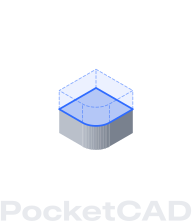
PocketCAD keeps every step you take as a history: each sketch, pull, fillet, cut and pattern, with its numbers. Change any step and everything after it rebuilds. When the part is right, export it for your printer.
Fully parametric
Change one number. The whole part follows.
Every step in a part’s history keeps its numbers: the sketch’s size, the pull’s distance, the fillet’s radius, the pattern’s count. Open any step, change it, and every step after it replays on the new shape.
Push/Pull
Drag it. Or type it.
Every tool gives you a handle to drag and a pad for the exact number. Pull a face and watch the number, or type the number and watch the face.
Push/Pull
Cancel
Done
Drag the handle or type a distance
DISTANCE
+
0
0
0
.
0
0
mm
1234567890
Made to print
From your pocket to the print bed.
PocketCAD models solids, the kind a printer can build, so what you draw is what comes off the plate.
- Export STL at real millimetres
- See each part standing on the print bed
- Check its size on your table in AR
Private by design
Your models stay yours.
There’s no account to make and nothing is tracked. Your parts never leave your device unless you send them somewhere.
- No sign-up and no ads
- No analytics or tracking
- Models are files you keep in Files
Details
- Availability
- Coming to the App Store
- Devices
- iPhone and iPad
- Requires
- iOS 17 or later
- Units
- Millimetres
Questions
When can I get PocketCAD?
PocketCAD is coming to the App Store. Email contact@beardogdev.ca and we’ll tell you when it’s out.
Which devices does it run on?
iPhone and iPad with iOS 17 or later. A Mac version is planned.
How do I get in touch?
Email contact@beardogdev.ca. We read every message.